> ## Documentation Index
> Fetch the complete documentation index at: https://coincapapi.mintlify.site/llms.txt
> Use this file to discover all available pages before exploring further.
# Request API Key
> Authentication and API Key Setup
To start using the CoinCap API, you’ll need an API key for authentication. This key should be included in your API requests to verify that you are authorized to access the data.
## How to Obtain an API Key:
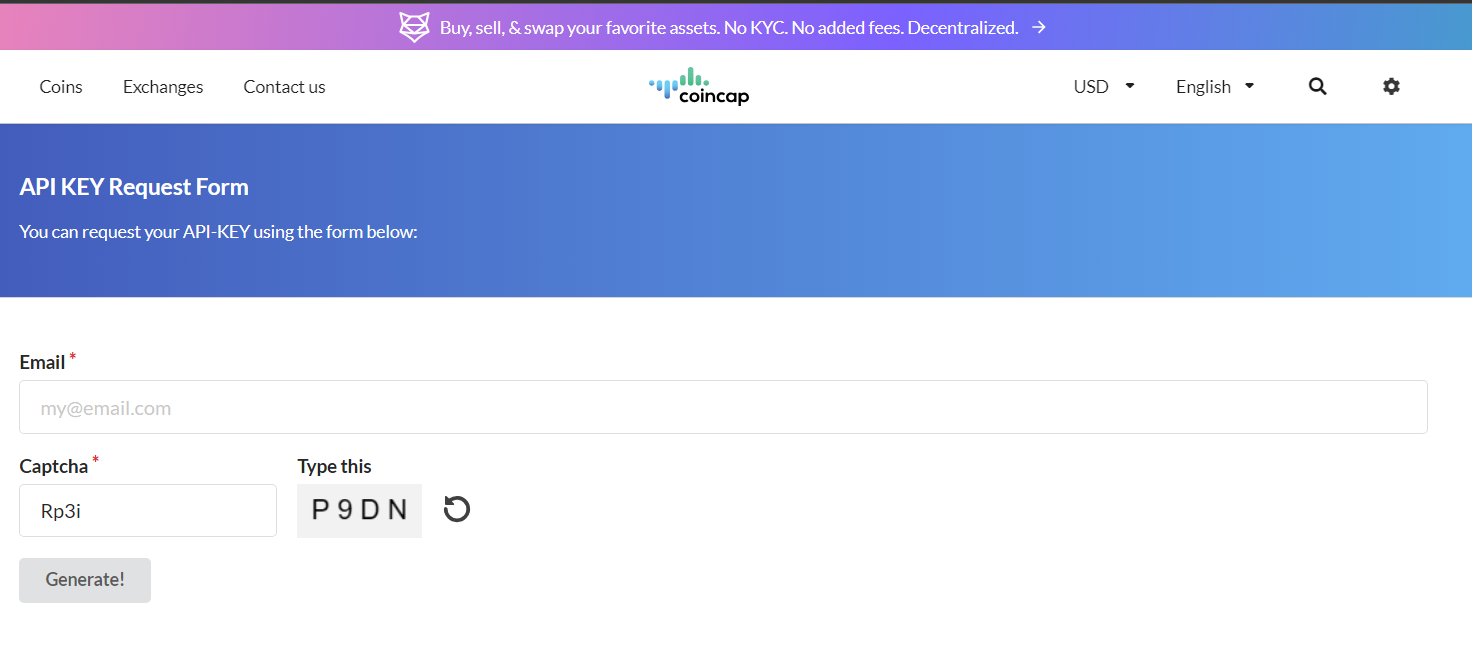 * Go to the API Key [Request Page](https://coincap.io/api-key).
* Click “Request API Key.”
* Copy your API key and use it in all subsequent requests.
## Using the API Key:
Authentication: The API key should be included in the Authorization header of your API requests in the following format:
```
Authorization: Bearer
```
* Go to the API Key [Request Page](https://coincap.io/api-key).
* Click “Request API Key.”
* Copy your API key and use it in all subsequent requests.
## Using the API Key:
Authentication: The API key should be included in the Authorization header of your API requests in the following format:
```
Authorization: Bearer
```